Skip to content

Coming soon

See you at 11.11.

Engineering precision. Design intuition.

Launching on 11 November 2026, 12:00 am Malaysia time.

Warranty & RMA Management System

One system.Every case.

A repair operations platform that takes a unit from intake and the bench to supplier credit, with thermal labels, an SLA clock on every case and a Telegram assistant.

Labels typed by hand.Scan once. Label printed.

Scan a serial or order ID and the terminal checks repair history, warranty cover and the watchlist before it creates the ticket and prints a Code128 label on the thermal printer.

Cases aging out of sight.A clock on every case.

Each case shows whether it is healthy, close to its target or past it, counted in business days, and the dashboard tracks how many close in time. Post-warranty repairs are exempt, because their repair time can’t be predicted.1
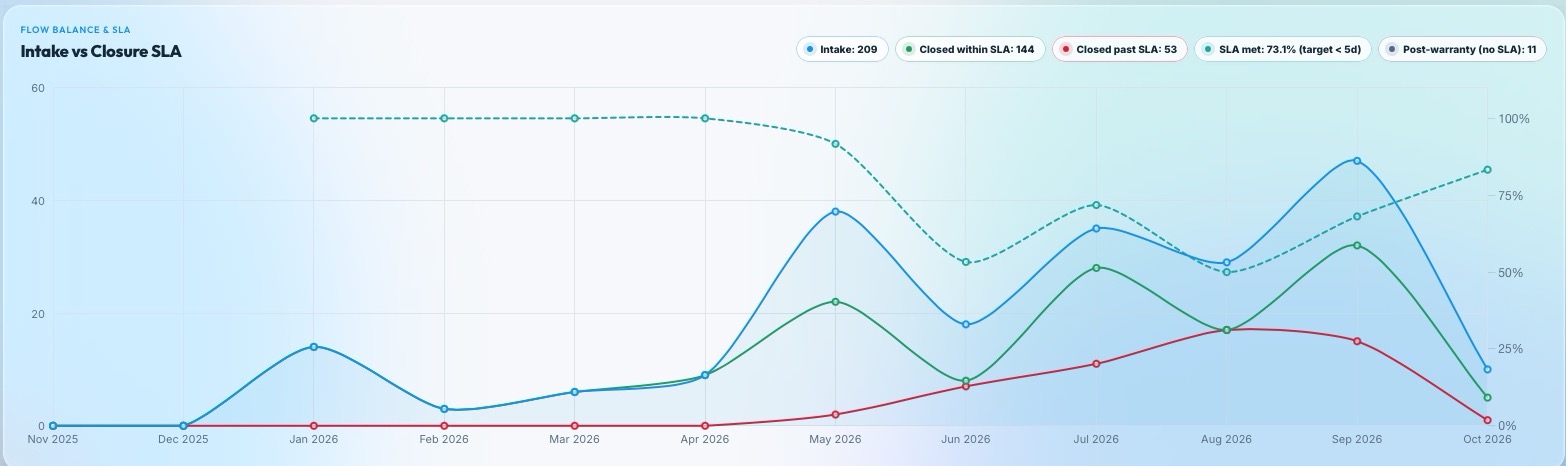
The Intake vs Closure SLA chart: cases taken in each month against cases closed within and past the SLA target, with the share that met it.
  • 144

    Closed within SLA

  • 53

    Closed past SLA

  • 73.1%

    SLA met

Target: closed in under 5 business days. Post-warranty repairs are exempt.

Returns scattered across invoices.One batch. Every document.

Push a repair into a supplier batch in one click, group it by invoice, attach credit notes and photos, and print the manifest. When the supplier resolves it, the repair record updates itself.

  1. 1Repair recordVendor fault found
  2. 2Supplier RMA batchOne click to push
  3. 3Invoice bundleDocuments attached
  4. 4ResolvedCredited, replaced or approved
  5. The result is written back to the original repair.

Replaced units coming back.It remembers every unit.

Replaced serials are flagged automatically. Depending on the flag, intake shows a warning or blocks until a supervisor signs in to override it.

Original S/NNew S/N
Soft warningOperator acknowledges
Hard blockSupervisor override

See it in action.

The pages the team works in every day.
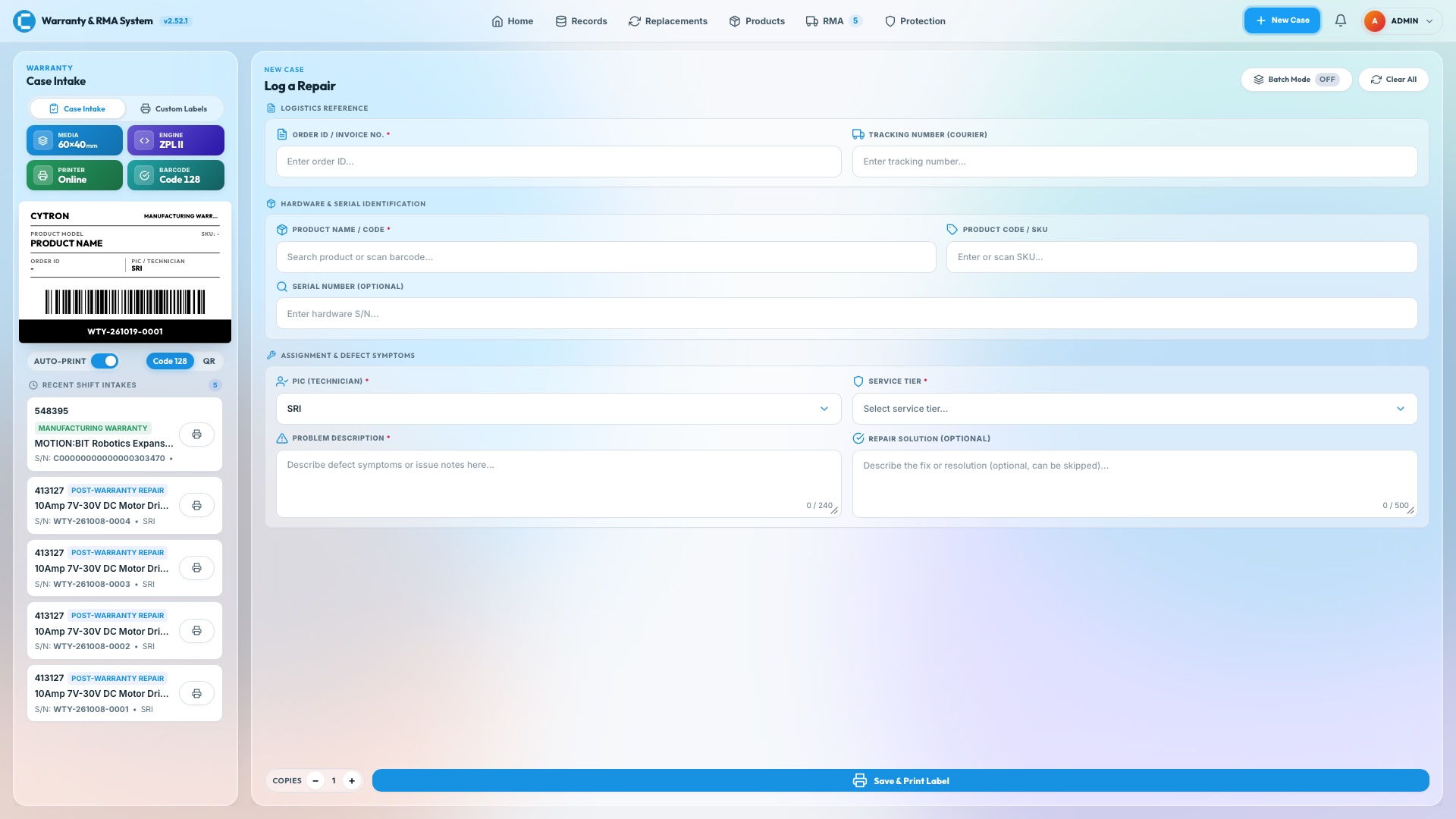
  1. The Case Intake page: a Log a Repair form with order, product, serial, technician and problem fields, and a live thermal label preview with recent intakes beside it.

    Case Intake

    Log a repair, print the label.

    Scan a serial or order ID, add several units to one order with Batch Mode, and watch the 60×40 mm Code128 label take shape beside the form before it prints.
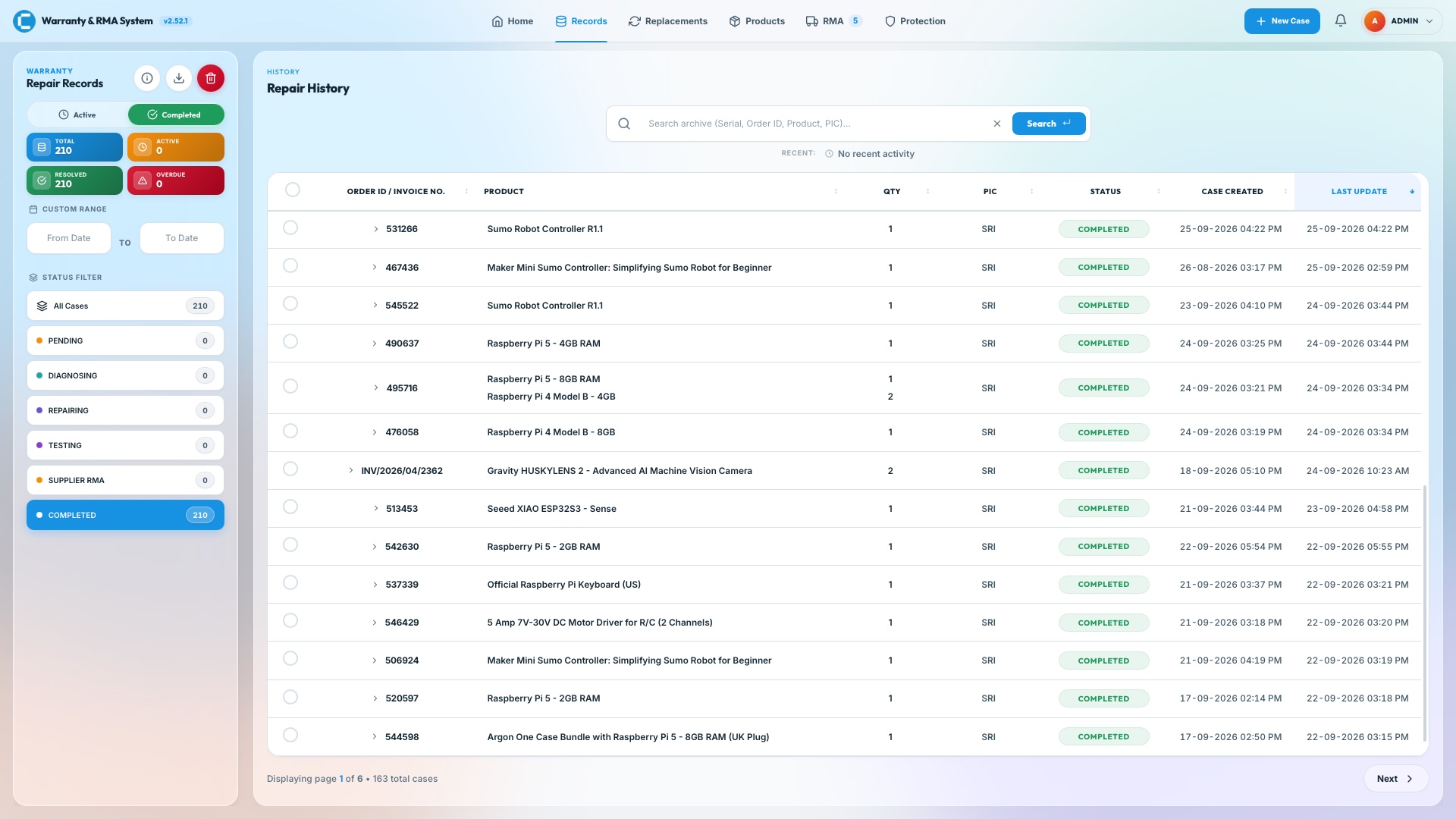
  2. The Records page: a status filter and a table of completed repair cases with product, quantity, technician, status and dates.

    Records

    Every case, one history.

    Switch between active and completed cases, search by serial, order ID, product or technician, and expand a row to see its units, status and last update.
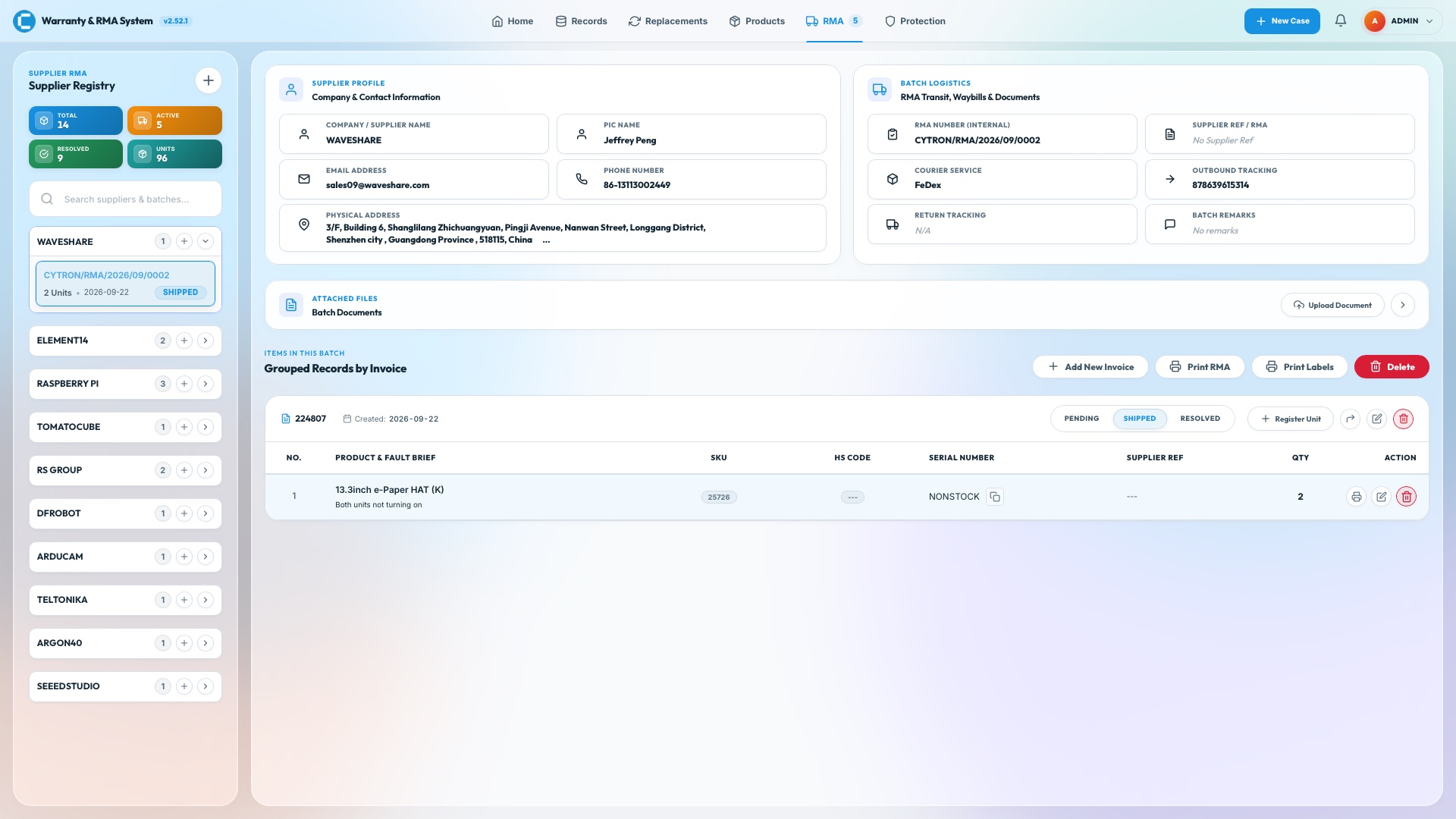
  3. The Supplier RMA page: a registry of suppliers with batch counts, a supplier profile, batch logistics with the RMA number, courier and tracking, attached files, and the units in the batch grouped by invoice.

    Supplier RMA

    One batch. Every document.

    Each supplier has its own registry of batches. Open one to see the supplier’s profile, the RMA number, courier and tracking, attached files, and the units grouped by invoice, with Print RMA and Print Labels beside them.
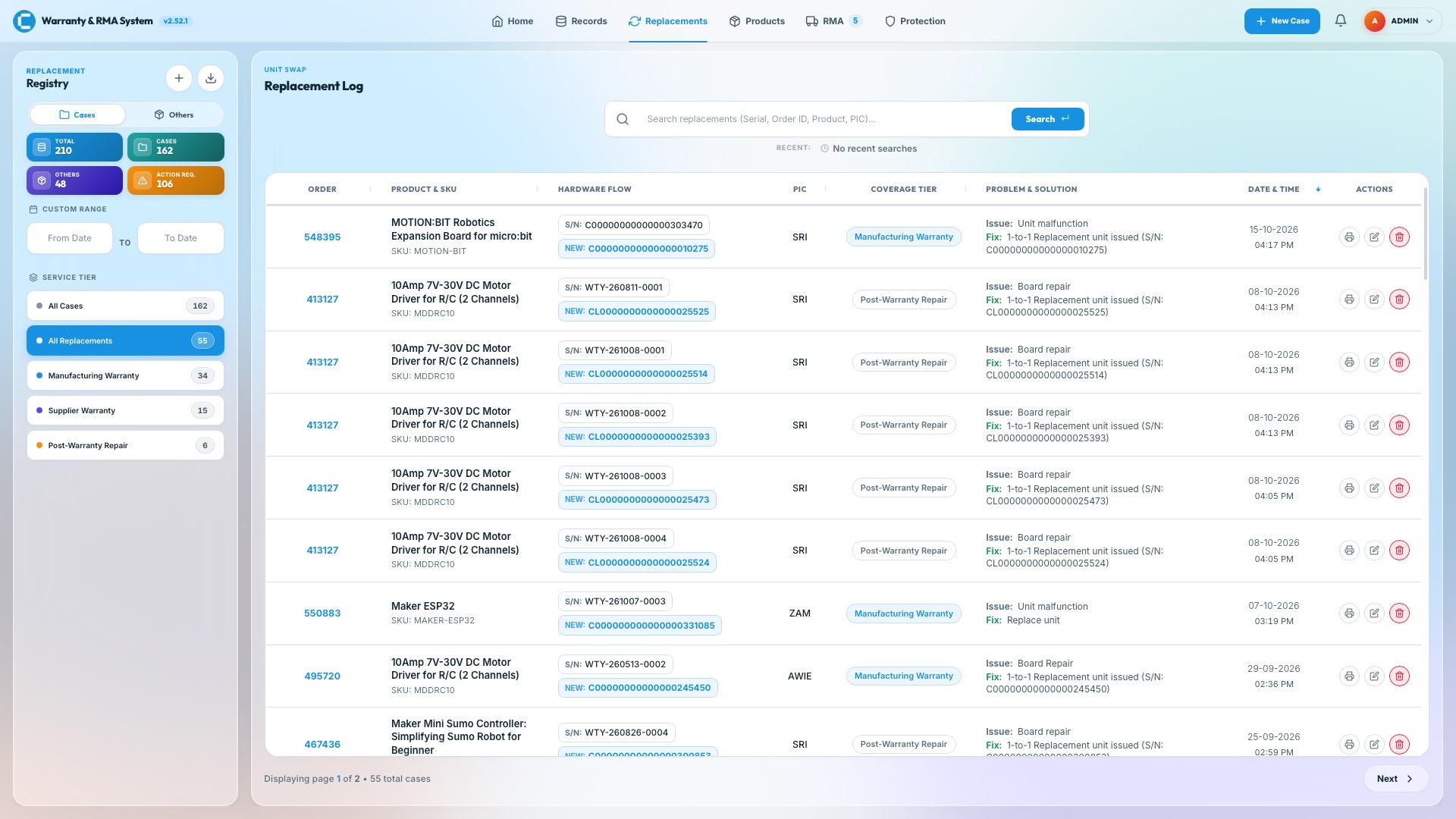
  4. The Replacement Log: a searchable table linking each original serial number to its replacement, with coverage tier, issue and fix.

    Replacements

    Every swap, on the record.

    Each replacement links the original serial to the new one, with the technician, coverage tier, problem and fix, and the date, in a log you can search and print.
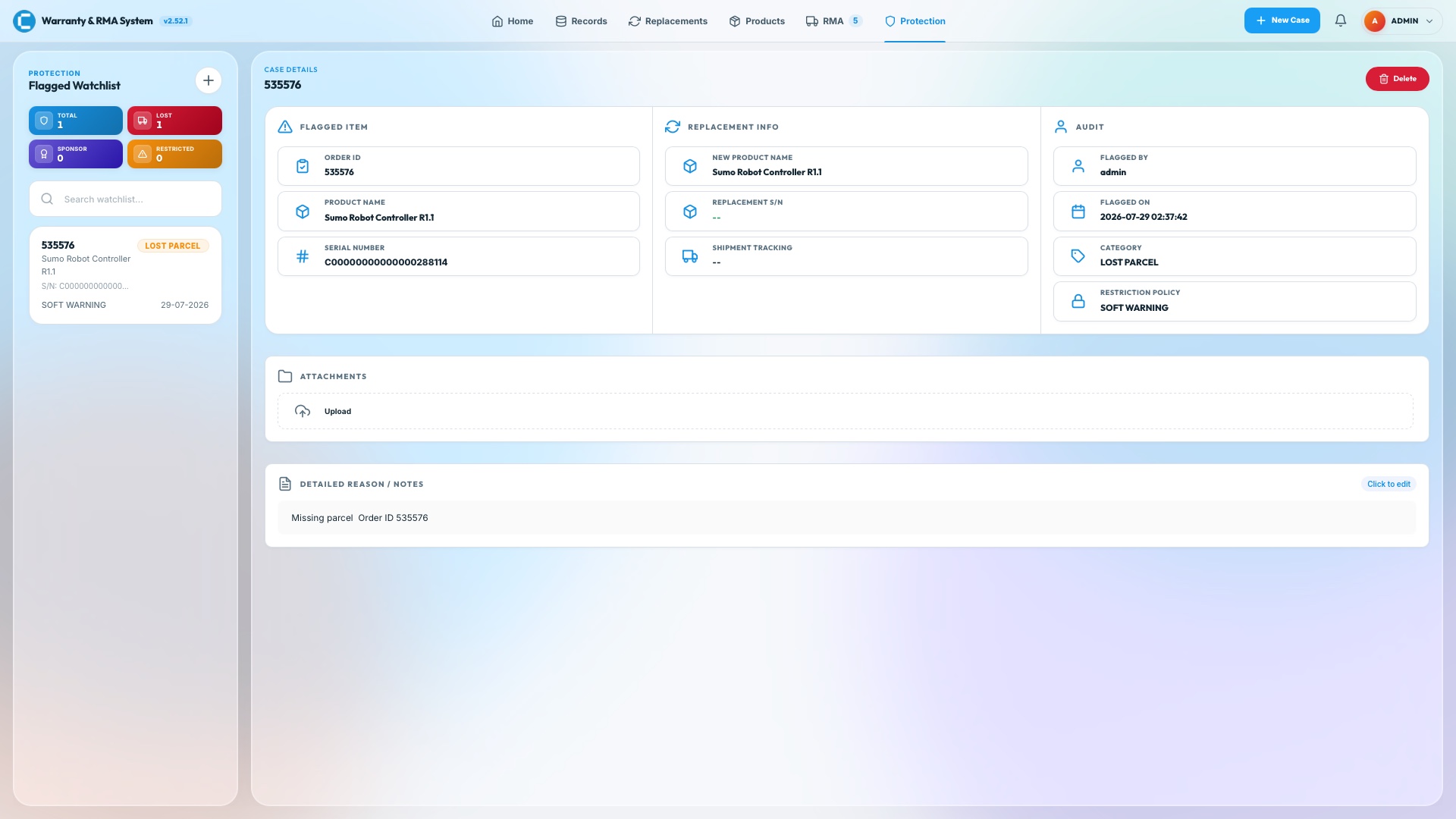
  5. The Protection page: a flagged watchlist item with its replacement info, audit trail, attachments and notes.

    Protection

    Flag it once.

    A flagged unit keeps its replacement details, who flagged it, when, why and the restriction policy, so a repeat comes up with the full story.
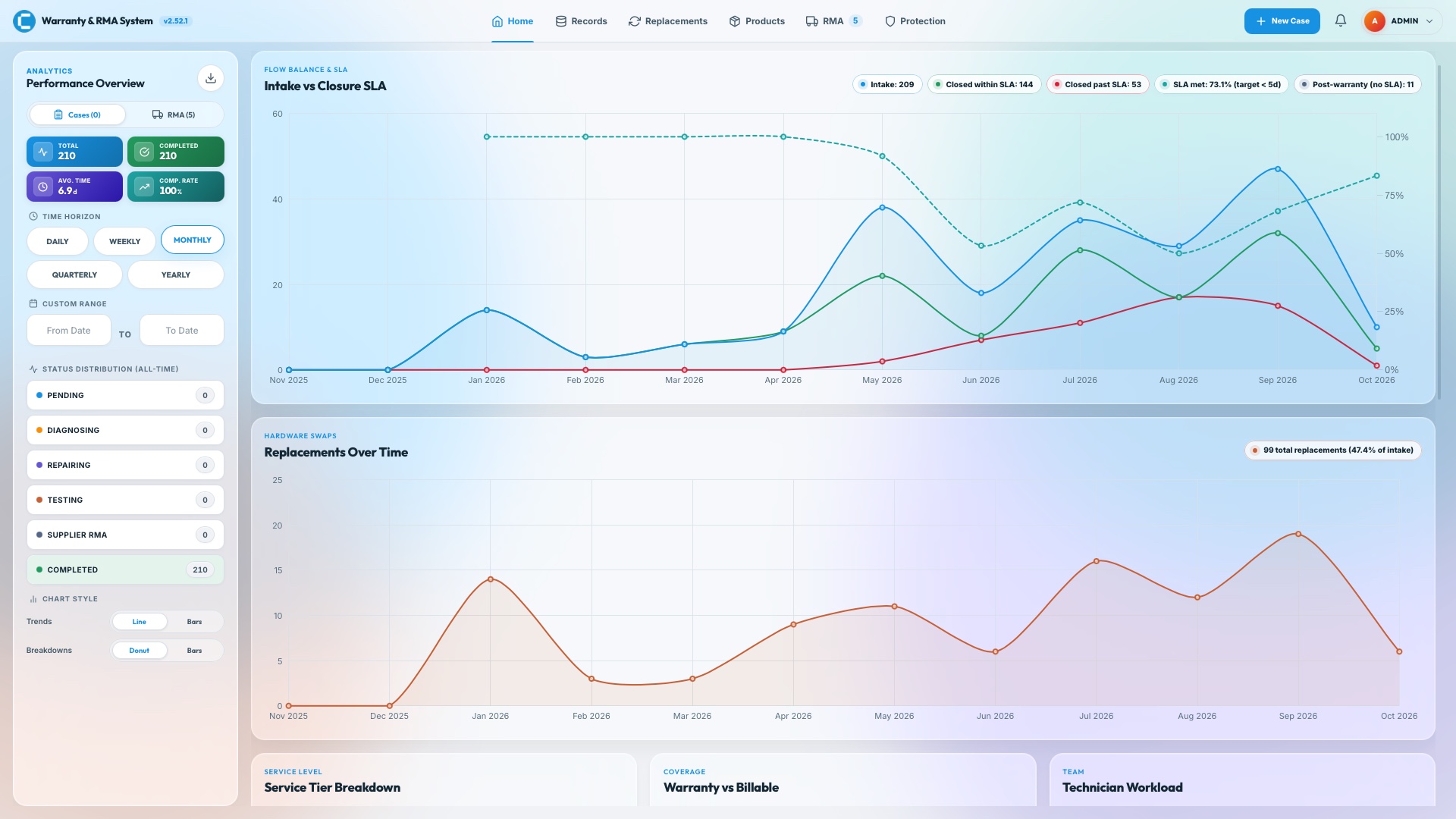
  6. The Home dashboard: totals, an intake against closure SLA chart and a replacements over time chart.

    Analytics

    The whole operation at a glance.

    Intake against closures within the SLA target, replacements over time, and filters by day, week, month, quarter or year, all on one dashboard.
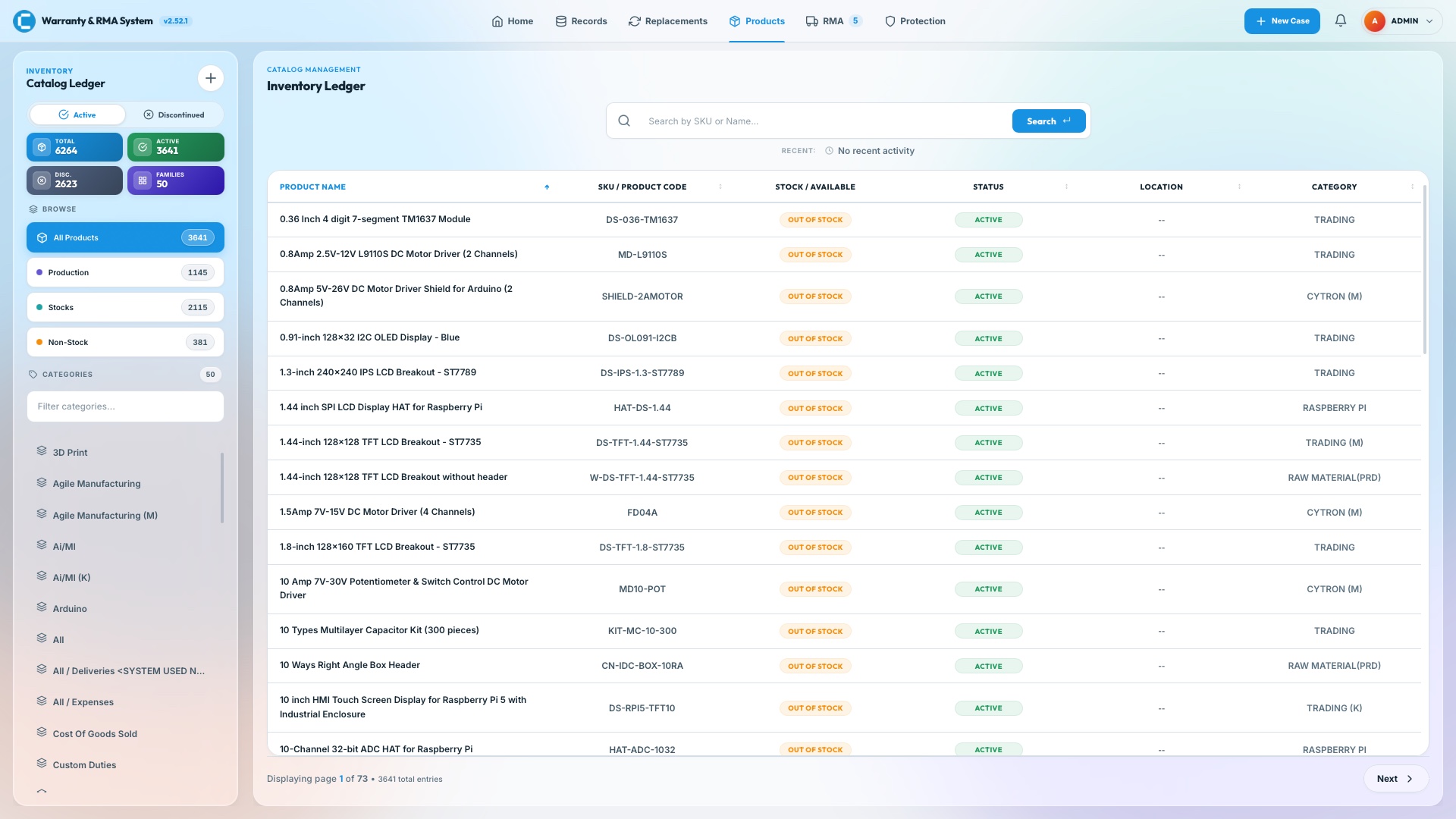
  7. The Products page: a catalogue ledger with product name, SKU, stock, status, location and category columns.

    Catalogue

    Thousands of products, searchable.

    A product ledger of thousands of items, searchable by SKU or name, with stock status, location and category, so intake can pick the right product fast.
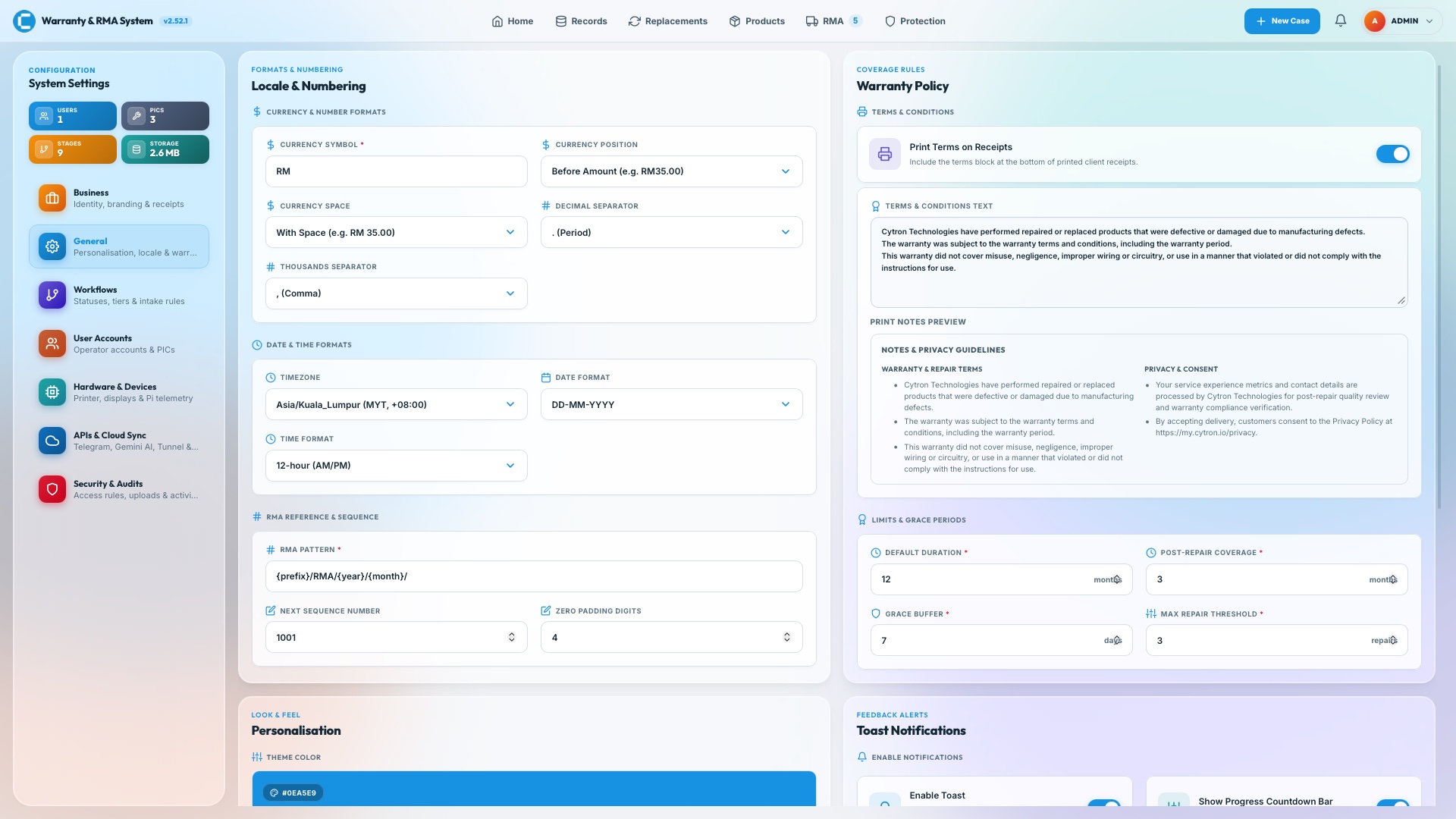
  8. The System Settings page: locale and numbering, warranty policy text and limits, with sections for workflows, hardware, integrations and security.

    Settings

    Rules you can change.

    Currency and date formats, the warranty policy text, RMA numbering, grace periods and repair thresholds, plus devices, integrations and security, all in one place.

Get the highlights.

Assistant

Ask in chat.

A Gemini-powered assistant in allow-listed Telegram chats answers from live data using 24 read-only tools, limited to 20 requests an hour per person.

Replacements

Swap, linked.

The defective serial is tied to its replacement, flagged automatically, and the new unit inherits the original warranty cover.

Access

Reachable, not exposed.

A Cloudflare Tunnel gives floor staff HTTPS access from anywhere with no ports opened on the network.

Sync

Records in Sheets.

Repairs, replacements and RMA claims sync to Google Sheets, with files kept locally, in Google Drive or in Cloud Storage.

Security

The right role for the job.

Admin, Manager and Technician roles. By default an account locks for 15 minutes after 5 failed sign-ins, and uploads are checked by file signature.

Hardware

Status at a glance.

A small OLED shows the IP, load and tunnel link, and a 3.5-inch dashboard can run as a kiosk on the same Raspberry Pi.

In use at Cytron

Built to be relied on.

Automated Tests
300+
A pytest suite covering storage providers, routes, authentication, versioning, hardware configuration and the Telegram assistant.2
Read-Only Assistant Tools
24
The Telegram assistant can look things up across cases, SLA, RMA, products and system health, but never change anything.3
Current Release
2.52.1
Actively deployed internal system powering Cytron's regional support operations.

Keep exploring.

  1. 1.Five and four business days are the shipped defaults for the SLA target and warning. Both, and whether weekends count, can be changed in settings.
  2. 2.Counted from the test functions in the repository’s tests folder at v2.52.1: 302.
  3. 3.The assistant’s code declares 24 tools. The project documentation describes all of them as read-only.